In-company time management training
More job satisfaction, less work pressure, and BETTER RESULTS?
Discover the in-company time management training that actually works and flip your organization's Monday!
Discover the in-company time management training that actually works and flip your organization's Monday!


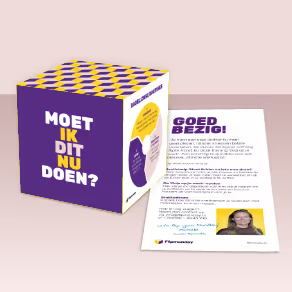
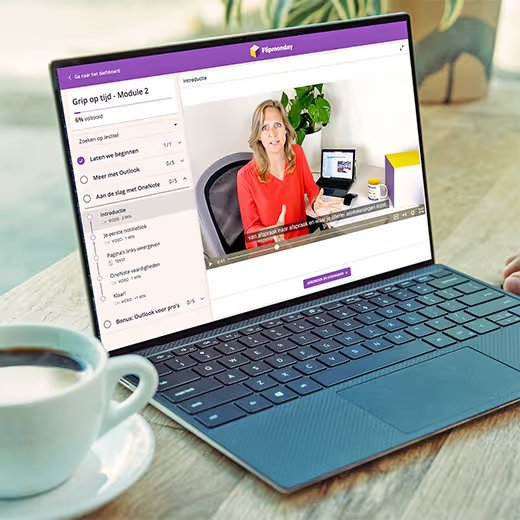
The training consists of 2 online lesson modules (self-study) and 3 live sessions with a trainer and spans a period of 8 weeks. The total time commitment for participants is approximately 10 hours spread across these sessions. This makes it easy to fit into participants' schedules and provides enough time to learn new habits, as that cannot be done in a single day. The live sessions of the training can be organized either on-site or online.







Do you have any questions or are you curious about the possibilities for your specific situation? Schedule a no-obligation call directly with Michelle Wiesman, creator of the Flipmonday method.
Schedule a call
Want to get more out of your team while sparing your colleagues from burnout? We teach them to work faster, smarter, and with more focus, so they have time left for the things that truly matter.
Do something now, later, or never? Prioritizing will become second nature to them. That provides peace and clarity. And it makes them happier, too.
Are you or your team already working with Microsoft Copilot? Then we will integrate this powerful AI assistant directly into the training, so you learn how Copilot summarizes emails, recognizes tasks, and creates status updates. Discover how to save even more time with time management with Copilot.


Do you all send a lot of emails? Do your people often lose track of things? We teach them smart tricks, keyboard shortcuts, and settings that give your colleagues control over their inbox again.
After our training, their inbox will be empty, and they will know how to keep it that way. They will also be able to process and find emails, appointments, and tasks more easily. That brings peace of mind. In Outlook and in their heads.
Working more efficiently is difficult when everyone is controlled by an overflowing calendar. We are here to help with that. Together, we will set up Outlook calendars, and your colleagues will discover routines to keep their planning up-to-date and stress-free.
After our training, they will see at a glance what they really need to do today and which tasks they can pick up afterward. From now on, you can leave the planning and prioritizing to them.

Want to help your colleagues gain a better grip on their work too?

Do you have to constantly remind colleagues about important tasks? Do you want to give them more structure and clarity?
After our training, your colleagues will have one place for all their to-dos. We help them collect those tasks in Microsoft Outlook and organize them there. They will never overlook anything again.
Is your team busy all day, but it feels like you haven't made any progress? After this training, your colleagues will no longer waste energy on tasks that don't matter.
We teach them to determine what they must do now, what can wait for a while (or indefinitely), and what they can delegate. This reduces the workload and helps your colleagues go home with a sense of accomplishment.


Do you often spend a long time searching for that one useful link, email, photo, note, or video? You won't have to anymore, with Microsoft OneNote as your central storage hub.
We teach your colleagues how to organize this digital notebook and fill it with the information you frequently need. We also link OneNote to everyone's Outlook calendar. Just wait and see what happens then.
Struggling to finish that assignment from senior management? We ensure your colleagues structurally make time for the things that truly matter.
They will discover, among other things, how Microsoft OneNote provides an overview and how to turn goals into concrete actions and tasks. It makes your work better and more enjoyable.

Are you noticing frustrations in the workplace and finding that goals are missed more often than not? We teach your colleagues how to collaborate more efficiently.
After the training, there will be a standardized approach to emails and meetings. Everyone will also handle Microsoft Outlook, OneNote, and Teams more intelligently. That’s how you get more done together.
Ready for the next step with Copilot?
Combine effective time management with the power of AI. Our Copilot module shows you how to use Copilot as an extension of your daily work structure—helping you save time and maintain better focus.